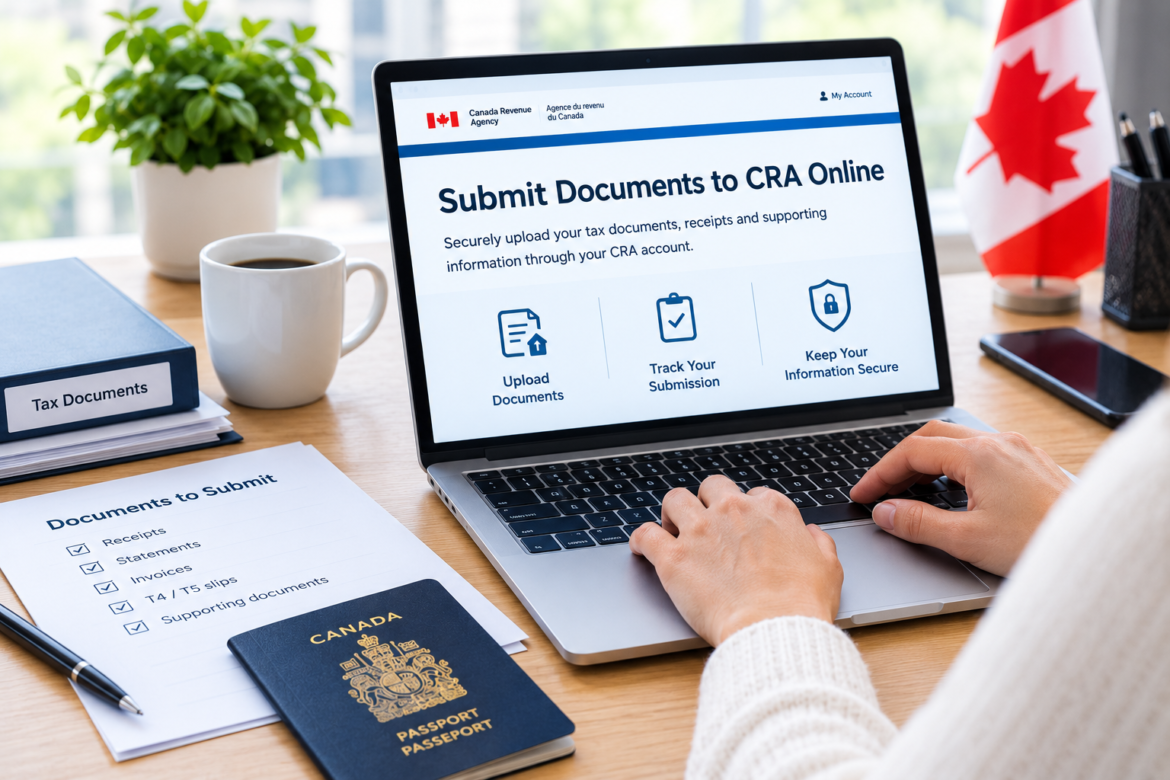
How to Submit Documents to CRA Online: Step-by-Step Guide for Canadians
Need to submit documents to CRA online? You can use the appropriate Canada Revenue Agency (CRA) online service to send supporting documents for eligible tax reviews, benefit requests, and other tax-related matters. This guide explains how to prepare your files, upload documents, avoid common mistakes, and keep confirmation details for your records.
If the CRA has requested receipts, statements, forms, or other supporting documents, you may be able to send them through your CRA online account. The process depends on the type of request, the program involved, and the instructions you received.
In this guide, you’ll learn how to submit documents to CRA online, prepare your files, avoid common mistakes, and understand what to do after submitting your documents.
Can You Submit Documents to CRA Online?
Yes. The CRA provides an online document submission service for eligible requests and tax-related matters. Individuals can use the appropriate CRA account, while authorized representatives may have access through the relevant representative service.
Online submission can help you send supporting documents without mailing physical copies. However, not every document or request can be handled through the same online process.
Before uploading anything, check the instructions associated with your request. If you received a letter from the CRA, review it carefully for a case number, reference number, submission deadline, and instructions about which documents are required.
Important: Submitting documents is not the same as filing a tax return, making a payment, or appealing a tax decision. Make sure you select the service that matches your specific task.
What Documents Can You Submit to CRA Online?
The documents you can submit depend on the reason for the request and the CRA program handling your case.
Common examples of supporting documents include:
- Receipts for eligible expenses or deductions.
- Statements supporting income or tax information.
- Invoices and proof of payment.
- Employment or business records.
- Forms requested during a tax review.
- Supporting information for certain benefits or credits.
- Additional documents requested in a letter or account message.
Only submit documents that are relevant to your request. Providing unrelated paperwork may make it harder to identify the information needed to process your case.
Documents requested during a tax review
If your tax return has been selected for review, the CRA may request evidence to support information reported on your return. This could include receipts, statements, or other records.
Read the request carefully and make sure each document supports the item under review. For example, if the CRA asks for proof of a particular expense, provide the relevant records rather than uploading a large collection of unrelated documents.
Documents requested for benefits or credits
Some benefit or credit matters may require additional information before the CRA can complete its assessment. The documents needed will depend on your circumstances and the request you received.
Always follow the specific instructions provided for your case.
How to Submit Documents to CRA Online Step by Step
Follow these steps to prepare and submit your documents through the appropriate online service.
Step 1: Sign in to your CRA account
Start by accessing the appropriate CRA online account. Individuals generally use CRA My Account, while businesses and authorized representatives may need a different account or service.
If you have not registered, you may need to complete the account registration and identity verification process first.
Use the correct account for your situation. Signing in to an unrelated service will not necessarily give you access to the document submission option you need.
Step 2: Find the document submission service
After signing in, look for the option labelled Submit documents or a similarly named service.
If you have previously submitted documents, you may see a history of earlier submissions. Depending on the service, you may be able to select an existing case or begin a new submission.
Follow the on-screen instructions carefully. The available options can differ depending on your account and the type of request.
Step 3: Enter your case or reference number
If the CRA provided a case or reference number, enter it exactly as instructed.
This number helps associate your documents with the appropriate request. Entering the wrong number or selecting the wrong program area may delay the handling of your submission.
If you do not have a reference number, check whether the service allows you to submit documents without one. You may need to select the relevant topic and reason for your submission instead.
Do not guess a reference number. If the online service requires information you do not have, review your request letter or seek clarification through the appropriate channel.
Step 4: Prepare your documents for upload
Before uploading, make sure every file is clear, complete, and readable.
Check the following:
- All pages are included.
- Text and figures are legible.
- The correct tax year is covered.
- The document relates to the request.
- The file opens correctly on your device.
- The file format is accepted by the submission service.
- Each file has a distinct, descriptive name.
PDF is often a practical format for scanned documents because it keeps pages together. However, use only file formats accepted by the service for your particular submission.
For example, a file name such as 2025_Expense_Receipts.pdf is easier to identify than scan001.pdf.
Step 5: Upload the required files
Select the attachment or upload option and choose the relevant documents from your computer or device.
Depending on the service, you may be asked to enter a short description of each file. Use a clear description that explains what the document contains.
For example:
Medical expense receipts for 2025Employment income statementBusiness expense invoicesProof of payment for requested expense
The actual documents you upload should match your specific CRA request.
If you have several files, check the upload limits and accepted formats displayed by the service. Do not assume that every file type or size is permitted.
Step 6: Review your submission
Before submitting, review the information on the screen.
Confirm that:
- You selected the correct case or reference number.
- The relevant tax year is correct.
- All requested documents are attached.
- The files are readable.
- The descriptions are accurate.
- No unrelated or unnecessary sensitive information has been included.
If something is incorrect, return to the previous step and fix it before proceeding.
Step 7: Submit and save your confirmation
Once everything is correct, select the final submit or confirmation option shown by the service.
Wait for the submission to finish. A confirmation screen may provide a confirmation number and a case or reference number.
Save these details for your records. You may need them if you contact the CRA about your submission later.
Do not assume that documents have been submitted successfully simply because you selected the upload button. Look for the final confirmation.
What File Formats Can You Upload to CRA?
The accepted file formats depend on the CRA service and the type of submission.
Commonly supported formats for many document submissions include:
| File format | Typical use |
|---|---|
| Scanned forms, statements, receipts, and multi-page documents | |
| JPG or JPEG | Photographs or scanned images |
| DOC or DOCX | Word documents, where accepted |
| XLS or XLSX | Spreadsheets, where accepted |
| RTF or TXT | Text-based documents, where accepted |
| TIFF or XPS | Other document formats, where supported |
This table is a general guide, not a guarantee that every format is accepted for every request. Check the instructions displayed in the upload service.
What if your document is in the wrong format?
If the service rejects your file, save or export it into an accepted format and try again.
For example, you may be able to save a document as a PDF using your computer’s document application. If you scan a paper document, make sure the resulting file is clear and complete.
Avoid simply changing a file’s extension. Renaming a file does not convert its actual format.
How to Avoid Common CRA Document Submission Mistakes
A small mistake can result in a rejected upload or additional processing time. Use the following checklist before submitting your documents.
Uploading documents to the wrong program
Selecting the wrong topic or program area may prevent your documents from being associated with the correct request.
How to avoid it: Read your request carefully and select the matching option in the online service.
Entering an incorrect reference number
A reference number may be needed to connect your documents to an existing case.
How to avoid it: Copy the number from the relevant correspondence and follow the instructions about spaces or formatting.
Submitting unreadable scans
Blurry photographs, missing pages, and cut-off text can make it difficult to review your evidence.
How to avoid it: Open each file before uploading and check every page for readability.
Forgetting a requested document
An incomplete submission may require additional follow-up.
How to avoid it: Compare your attachments against the document list in your request letter before submitting.
Using an unsupported file type
A document may be valid but still be rejected if the upload service does not support its format.
How to avoid it: Check the permitted formats and convert the file properly when necessary.
Failing to save the confirmation number
Without a record of your submission, it may be harder to refer to it during a later enquiry.
How to avoid it: Save the confirmation details and keep a copy of the documents you submitted.
What Should You Do If CRA Online Document Submission Is Not Working?
If the upload process fails, avoid repeatedly submitting the same files without checking the cause.
Instead, try these troubleshooting steps.
1. Check the file format. Make sure the document is saved in a format supported by the relevant submission service.
2. Open the file. A corrupted or incomplete file may fail even if its extension appears correct.
3. Review the file size. Large files may exceed the upload limit. If necessary, reduce the file size while keeping the content readable.
4. Rename the file. Use a simple, descriptive file name and make sure each attachment has a unique name if required.
5. Try a properly saved PDF. If the original format is causing problems, exporting or printing the document to PDF may help, provided PDF is accepted.
6. Review the service instructions. Make sure you are using the correct account and submission option for your request.
If the problem continues, use the appropriate support channel for the account or request involved. If a deadline is approaching, do not assume a failed upload counts as a completed submission.
Can You Submit CRA Documents Without a Reference Number?
Sometimes. The available options depend on the submission service and the type of document.
Certain submissions may allow you to choose a topic and reason instead of entering a case or reference number. Other requests may require a number supplied in a letter or account message.
If you do not have the number, first review your correspondence and account messages. Then check whether the submission service provides an option for cases without a reference number.
Do not enter an unrelated number just to proceed. If the service requires a reference number and you cannot find it, seek clarification before submitting.
How Long Does CRA Take to Process Submitted Documents?
Processing times vary depending on the type of request, the program involved, the complexity of the case, and whether additional information is needed.
A successful online submission confirms that your documents were sent through the service. It does not necessarily mean the CRA has reviewed them, accepted the evidence, or completed the underlying request.
After submitting:
- Save your confirmation details.
- Keep copies of your documents.
- Monitor your CRA account or correspondence for updates.
- Respond to any additional requests within the stated deadline.
Avoid assuming that a confirmation number means your case has been resolved. If you need an update, use the information associated with your submission.
Is It Safe to Submit Documents to CRA Online?
Using the appropriate CRA account and document submission service can help you send documents through the intended digital process. However, you should still take care when handling sensitive information.
Follow these practical precautions:
- Access your account through a trusted route.
- Never share your password or security codes with someone offering unofficial assistance.
- Upload only documents relevant to the request.
- Avoid sending sensitive records through unfamiliar links or unsolicited messages.
- Keep your device and browser updated.
- Store confirmation details securely.
Be especially cautious of messages that pressure you to provide personal information immediately or promise a guaranteed refund in exchange for payment or documents.
If you are uncertain whether a request is genuine, verify it through a trusted account or a contact method you already know is legitimate.
Need Help Preparing Documents for an Online Submission?
Preparing documents for an online submission can take time, particularly when you have multiple files, scanned records, or supporting paperwork to organize.
Before seeking assistance, identify what the CRA has requested and whether you need help with scanning, file organization, document formatting, or understanding the submission steps.
If you need broader help organizing paperwork for Canadian administrative processes, explore our document preparation and assistance services. Choose a service that matches your needs, review what is included, and confirm any fees before proceeding.
Remember that document preparation assistance is different from submitting documents directly to the CRA. Do not share your CRA login credentials with a third-party service, and never assume that a private service can guarantee a tax decision or processing outcome.
Frequently Asked Questions About Submitting Documents to CRA Online
1. How do I submit documents to CRA online?
Sign in to the appropriate CRA online account, open the document submission service, enter the required case or reference details, attach your files, review the submission, and complete the final confirmation step.
2. Can I upload receipts to CRA My Account?
Receipts may be uploaded when they are relevant to an eligible request and the submission service accepts them. Check the instructions for your specific case before uploading.
3. Can I submit documents to CRA from my phone?
You may be able to access the service from a compatible mobile browser or device. However, the exact experience depends on the service and your device. Make sure files upload correctly and remain readable.
4. What happens after I submit my documents?
The service may provide confirmation details. Keep them for your records and monitor your account or correspondence for further instructions. Confirmation does not mean the underlying matter has been approved or completed.
5. What should I do if CRA rejects my uploaded file?
Check the error message, file format, file size, and document integrity. Prepare a new file in an accepted format and follow the instructions for resubmission.
6. Can someone else submit documents for me?
An authorized representative may be able to submit documents through the appropriate representative service if the required authorization is in place. Do not share your personal account password as a substitute for authorization.
7. Can I submit additional documents after my first submission?
This depends on the service and the status of your case. You may be able to add documents to an existing submission or make another submission. Follow the instructions associated with your request.
8. Does uploading documents mean the CRA has approved my claim?
No. Uploading documents sends information for consideration. The CRA may still need to review the documents, request further information, or make a separate decision.
Final Thoughts
Learning how to submit documents to CRA online can help you prepare your paperwork, follow the right process, and avoid common upload errors.
Start by reviewing the request you received. Then use the correct account, select the relevant submission option, prepare clear files, check your reference details, and save your confirmation number.
Most importantly, remember that a successful upload is not the same as a final decision. Keep your records organized and monitor your account for any further instructions.
Prepare carefully, submit accurately, and keep your confirmation details safe.
Leave a Reply